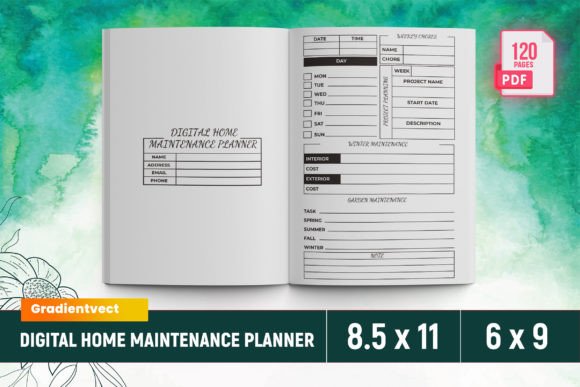
KDP Digital Home Maintenance Planner
The KDP Digital Home Maintenance Planner is a comprehensive tool designed to help homeowners and property managers keep track of essential maintenance tasks, expenses, and important information. This planner is available as a downloadable Canva template, making it easy to customize and use for personal or commercial projects. With 120 total pages, it includes everything from an intro page to detailed checklists, calendars, and project planners.
What’s Included in the KDP Digital Home Maintenance Planner
The KDP Digital Home Maintenance Planner comes with a variety of files to suit different needs. You'll find ready-to-upload PDF files in sizes ranging from 6-9 inches to 8.5-11 inches, ensuring compatibility with various publishing platforms. The planner also includes PNG and JPG files, which are ideal for digital use and social media graphics.
- Intro page
- Belongs To page
- 2024 Calendar
- Utility Expense tracker
- Insurance Expense and Details
- Important Contacts and Emergency Contacts
- Home Maintenance Log and Receipt Log
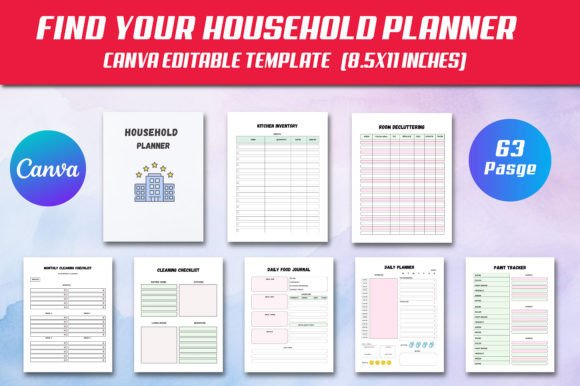
- Project Planner and Room By Room sections
- Cleaning Schedule and Zone Cleaning
- Design Plan and Home Improvement Checklist
- Project Estimate and Annual Home Maintenance Checklist
- Where Is What and Room Renovation
- Home Maintenance Calendar and No Spend Challenge
- Monthly Calendar and Bucket List
- To do list and Vision Board
- Cleaning Checklist and 7 Days
- Spring Home Maintenance Checklist
Why Choose the KDP Digital Home Maintenance Planner?
The KDP Digital Home Maintenance Planner is more than just a checklist—it's a complete system for managing your home. Its clean design and organized layout make it easy to navigate, whether you're tracking monthly expenses or planning a major renovation. The planner is also optimized for Amazon KDP, ensuring that it meets the specifications required for Kindle Direct Publishing.
For designers, entrepreneurs, and content creators, this planner offers a professional look that can be customized to fit any brand or project. The inclusion of both PDF and image files makes it versatile for use in print, digital, and social media formats. Whether you're creating a personal planner or a commercial product, the KDP Digital Home Maintenance Planner provides the tools needed to stay organized and efficient.
How to Use the KDP Digital Home Maintenance Planner
Using the KDP Digital Home Maintenance Planner is straightforward. Start by downloading the template and customizing it to fit your specific needs. The planner includes a wide range of sections, so you can easily add or remove content based on your requirements. For example, if you're focusing on home improvement projects, you can highlight the Project Planner and Home Improvement Checklist sections.
When choosing fonts and design elements, consider the overall style of the planner. A premium font or a modern typography approach can enhance readability and visual appeal. If you're using the planner for commercial purposes, make sure to review the licensing terms to ensure compliance with any restrictions.
Testing different font pairings can also help you achieve the right balance between aesthetics and functionality. For instance, pairing a serif font with a sans-serif font can create a clean and professional look that's easy to read. Similarly, using a script font for headings can add a personal touch without compromising clarity.
Best Practices for Designing with the KDP Digital Home Maintenance Planner
When working with the KDP Digital Home Maintenance Planner, it's important to focus on usability and consistency. Each section should be clearly labeled and easy to access, ensuring that users can quickly find the information they need. For example, the Expense Tracker and Income Tracker sections should be organized in a way that allows for easy data entry and analysis.
Consider the audience when designing the planner. If it's intended for a general audience, a simple and intuitive layout will be more effective. For a more niche audience, such as homeowners or real estate professionals, adding specific details like a Room Renovation section or a Project Financial Planning table can add value.
Finally, always test the planner before finalizing it. Check for any formatting issues, ensure that all links and sections are functional, and verify that the file meets the requirements for Amazon KDP. This step can save time and prevent potential problems down the line.